FlowBudget V3 is out!
September 19, 2026 3 min read
FlowBudget V3 adds Savings Goals and Recurring Expenses. Here's what's new, how I worked out the recurring expense math on paper, and why I kept AI out of the thinking.
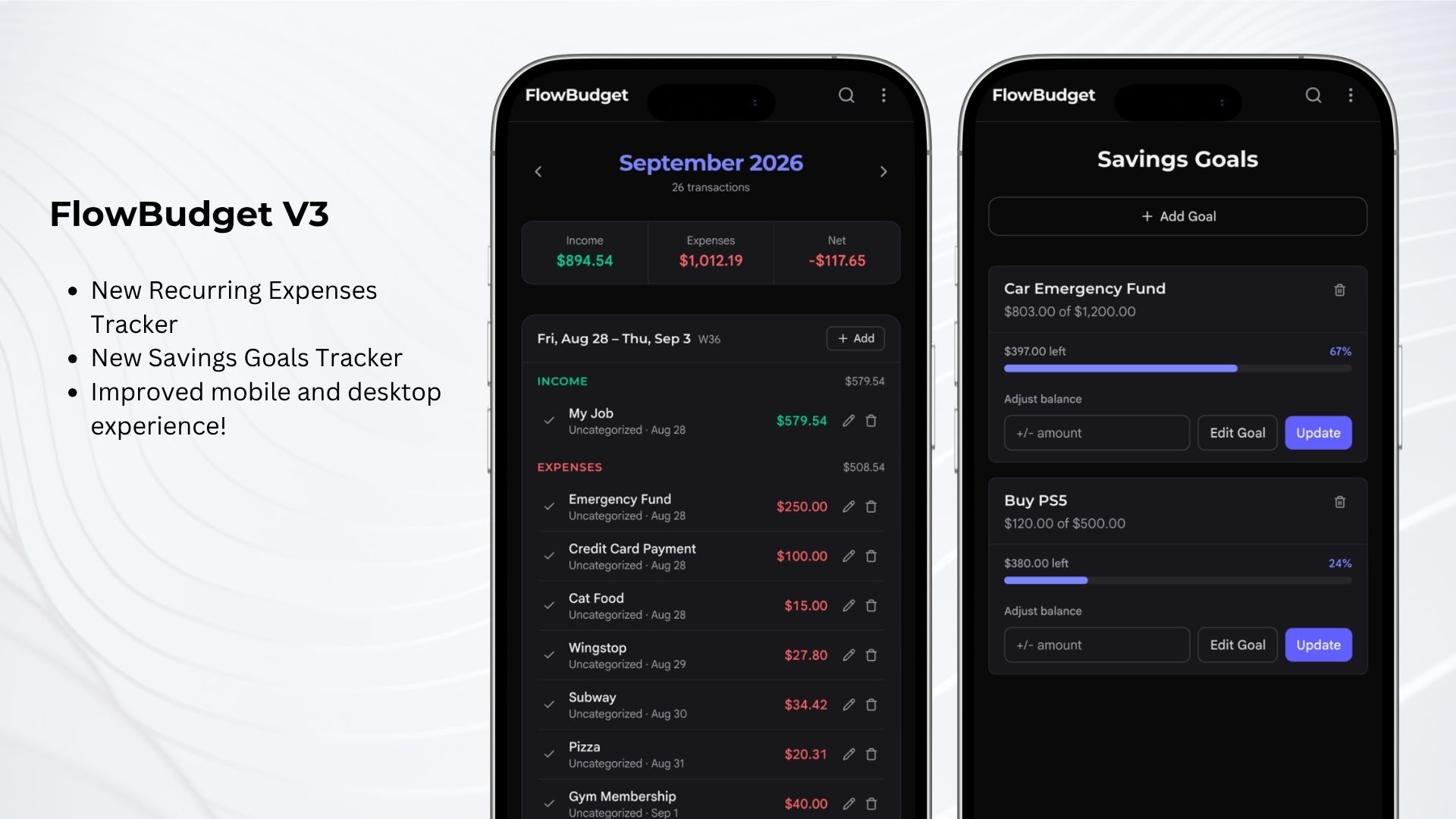
FlowBudget V3 comes with two new sections: Savings Goals and Recurring Expenses.
These new sections turn FlowBudget into more than just an expense tracker. You can now visualize your recurring expenses and when they’ll happen before you even plan any future transactions. You can also set savings goals and track your progress towards them.
There have also been many user experience improvements, including but not limited to: mobile navigation, color contrast, and navigation routing. That last one means refreshing the web app will get you back to exactly where you left off.
On mobile, FlowBudget works best installed to your home screen. It has full PWA support.
Behind the build
FlowBudget is a personal app I’ve been working on for almost a year. It started as a simple one-off project to solve a problem of mine: I was struggling to keep up with expense tracking in Apple Notes and having to recalculate things by hand.
Now new needs have come up, and I took on the task of expanding the scope of the app. First, I wanted to track my savings goals. I’ve been saving for separate things, so having all the amounts in one place would be very helpful.
I also knew that recurring expenses are a part of the budget that gets really repetitive to track, and sometimes you want to know when they’ll come instead of just waiting for the next transaction to happen. So I added a recurring expenses section to the app.
The most challenging feature to implement was recurring expenses. I had to figure out the math behind how the occurrences would be calculated and how to display them next to regular user-created transactions. But my philosophy has been to keep things simple first.
What I decided on was to use the category field. When a transaction is a recurring expense, the category field shows it with a label in underlined red text. If the transaction is marked as completed or edited, it automatically gets converted to a regular transaction and that occurrence is excluded, so it never shows up twice in the frontend.
As for the math, I just took a piece of paper and first wrote down the value I wanted to know, preferably in O(1) time complexity. Then I wrote down the variables I had available and how they could be used to get to that value. Breaking it down this way made the logic simple to figure out, and I noticed it wasn’t as complicated as I thought it would be.
I found this approach more straightforward than trying to brute-force the solution by trying different code implementations. I’ll definitely use it in the future when working through the logic of other projects.
Improving your skills in the age of AI
When implementing these new features, I wanted to intentionally avoid heavy AI use. I was a little less reserved when it came to UX and design ideas: I’d usually tell it what I wanted, and once it came up with a rough draft, I’d refine the design myself. I think the human in the loop is still the most important part of the process, since we build things for humans.
Setting this intention and following through allowed me to strengthen my skills and logic. I think it’s a good approach to take when building software, especially on personal projects.
If you’re learning something new or getting back into coding, don’t let AI do all the work for you. It will only make you weaker in the long run. Let AI write things you fully understand and could write yourself, but don’t let it do the thinking for you. And even then, use it with reservation.
Your brain and skills are your most important assets, keep them sharp.